文章詳情頁
zabbix 監控mysql的方法
瀏覽:382日期:2023-04-06 15:09:37
zabbix部署文檔
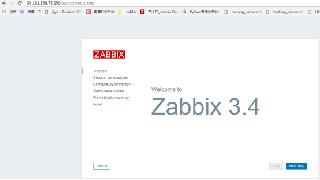
zabbix部署完之后
zabbix-agent操作
1.監控mysql,首先要先安裝mysql
[root@localhost ~]# yum -y install mariadb mariadb-server
2.編寫mysql監控項的腳本
在zabbix-agent先授權個用戶 不然測試時沒有權限
[root@localhost ~]# mysqlWelcome to the MariaDB monitor. Commands end with ; or \g.Your MariaDB connection id is 33Server version: 5.5.65-MariaDB MariaDB ServerCopyright (c) 2000, 2018, Oracle, MariaDB Corporation Ab and others.Type "help;" or "\h" for help. Type "\c" to clear the current input statement.MariaDB [(none)]> grant all on *.* to "check"@"localhost" identified by "123";Query OK, 0 rows affected (0.00 sec)
mysql監控的內容主要有
- 主從的狀態 (得先配置主從 在下面)
- 流量檢測 發送,接受常規操作 增刪改查
- 某個庫、某個表的大小
- tps(每秒查詢處理的事務數)qps(每秒能處理多少次請求數)
[root@localhost ~]# mkdir /etc/zabbix/scipts[root@localhost ~]# cd /etc/zabbix/scipts/[root@localhost scipts]# vim mysql.sh #!/bin/bashmysql="mysql -ucheck -p123"case $1 in # mysql主從狀態 slave_status) $mysql -e "show slave status\G" |grep "Yes" |wc -l ;; # mysql流量 接受 Bytes_received) mysqladmin extended-status |grep "Bytes_received" |awk "{print $4}" ;; # mysql流量 發送 Bytes_sent) mysqladmin extended-status |grep "Bytes_sent" |awk "{print $4}" ;; # mysql常規操作 增 Com_insert) mysqladmin extended-status |grep -w "Com_insert" |awk "{print $4}" ;; # mysql常規操作 刪 Com_delete) mysqladmin extended-status |grep -w "Com_delete" |awk "{print $4}" ;; # mysql常規操作 改 Com_update) mysqladmin extended-status |grep -w "Com_update" |awk "{print $4}" ;; # mysql常規操作 查 Com_select) mysqladmin extended-status |grep -w "Com_select" |awk "{print $4}" ;; # mysql tps tps) mysqladmin status |awk "{print $6/$2}" ;; # mysql qps=(rollback+commit)/uptime qps) rollback=$(mysqladmin extended-status |grep -w "Com_rollback" |awk "{print $4}") commit=$(mysqladmin extended-status |grep -w "Com_commit" |awk "{print $4}") uptime=$(mysqladmin status |awk "{print $2}") count=$[$rollback+$commit] echo "$count $uptime" > /tmp/a.txt cat /tmp/a.txt |awk "{print $1/$2}" ;; # 庫大小 我們這里拿mysql庫舉例 db) $mysql -e "select sum(data_length) from information_schema.tables where table_schema="mysql"" |sed -n "2p" ;; # 表大小 我們這里拿mysql下面的user表舉例 tb) $mysql -e "select sum(data_length) from information_schema.tables where table_schema="mysql" and table_name="user"" |sed -n "2p" ;;esac3.自定義鍵值key 重啟zabbix-agent
[root@localhost scipts]# cd /etc/zabbix/zabbix_agentd.d/[root@localhost zabbix_agentd.d]# vim mysql.confUserParameter=mysql[*],/etc/zabbix/scipts/mysql.sh $1[root@localhost zabbix_agentd.d]# systemctl restart zabbix-agent
4.在zabbix-server測試 先安裝zabbix-get
[root@localhost ~]# yum -y install zabbix-get[root@localhost ~]# zabbix_get -s 192.168.27.137 -k mysql[slave_status]2[root@localhost ~]# zabbix_get -s 192.168.27.137 -k mysql[Bytes_received]850970[root@localhost ~]# zabbix_get -s 192.168.27.137 -k mysql[Bytes_sent]224906[root@localhost ~]# zabbix_get -s 192.168.27.137 -k mysql[Com_insert]3001[root@localhost ~]# zabbix_get -s 192.168.27.137 -k mysql[Com_delete]135[root@localhost ~]# zabbix_get -s 192.168.27.137 -k mysql[Com_update]128[root@localhost ~]# zabbix_get -s 192.168.27.137 -k mysql[Com_select]19[root@localhost ~]# zabbix_get -s 192.168.27.137 -k mysql[qps]0.864842[root@localhost ~]# zabbix_get -s 192.168.27.137 -k mysql[tps]1.92936[root@localhost ~]# zabbix_get -s 192.168.27.137 -k mysql[db]555118[root@localhost ~]# zabbix_get -s 192.168.27.137 -k mysql[tb]420
報錯處理
[root@localhost ~]# zabbix_get -s 192.168.27.137 -k mysql[slave_status]sh: /etc/zabbix/scipts/mysql.sh: 權限不夠腳本執行權限不夠 去zabbix-agent 加權限[root@localhost zabbix_agentd.d]# chmod +x /etc/zabbix/scipts/mysql.sh [root@localhost ~]# zabbix_get -s 192.168.27.137 -k mysql[slave_status]ERROR 1227 (42000) at line 1: Access denied; you need (at least one of) the SUPER,REPLICATION CLIENT privilege(s) for this operation是因為用戶沒有權限查看 去zabbix-agent 授權個用戶在腳本里面加上[root@localhost ~]# mysqlWelcome to the MariaDB monitor. Commands end with ; or \g.Your MariaDB connection id is 33Server version: 5.5.65-MariaDB MariaDB ServerCopyright (c) 2000, 2018, Oracle, MariaDB Corporation Ab and others.Type "help;" or "\h" for help. Type "\c" to clear the current input statement.MariaDB [(none)]> grant all on *.* to "check"@"localhost" identified by "123";Query OK, 0 rows affected (0.00 sec)[root@localhost scipts]# vim mysql.sh #!/bin/bashmysql="mysql -ucheck -p123"case $1 in # mysql主從狀態 slave_status) $mysql -e "show slave status\G" |grep "Yes" |wc -l ;;
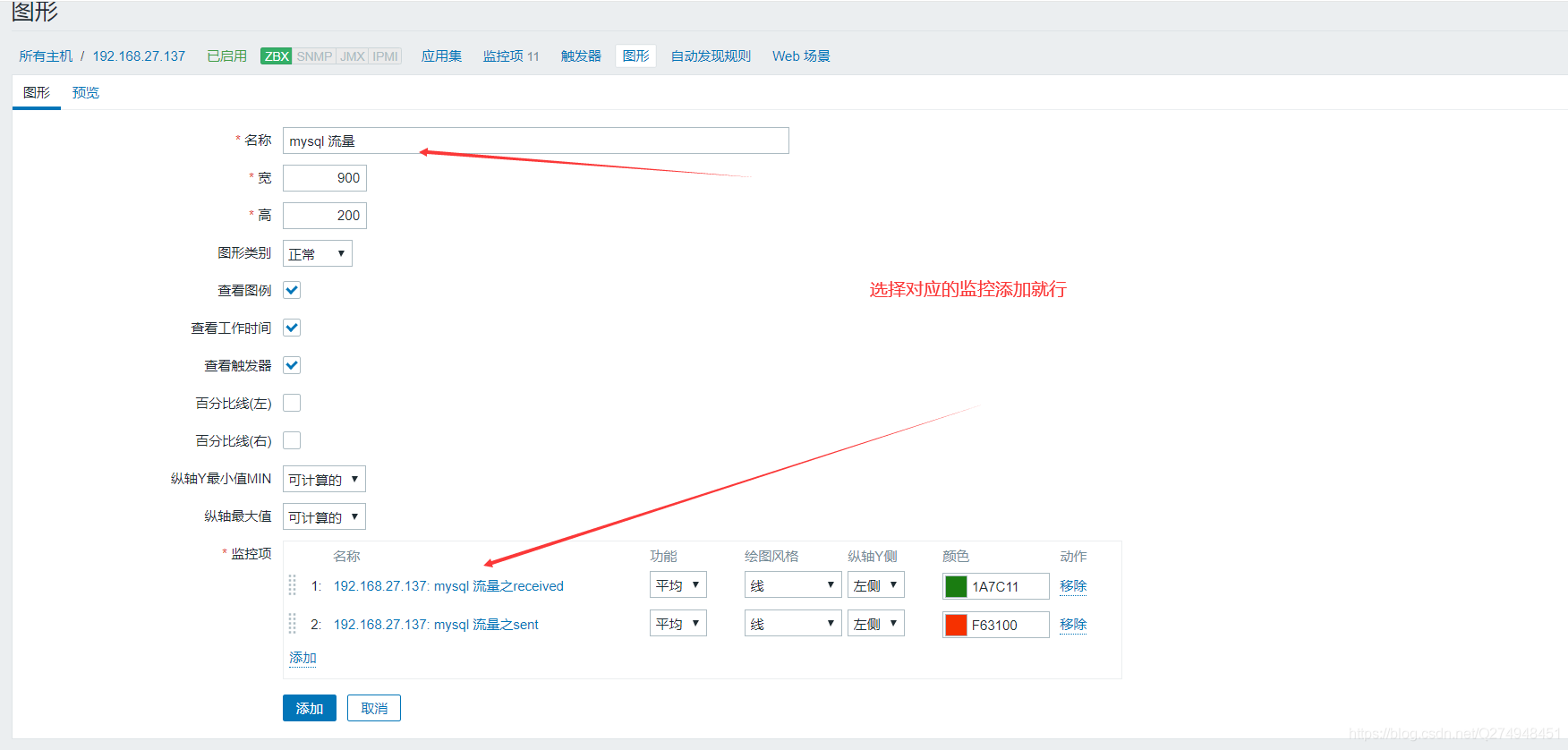
zabbix頁面上添加監控項和圖形



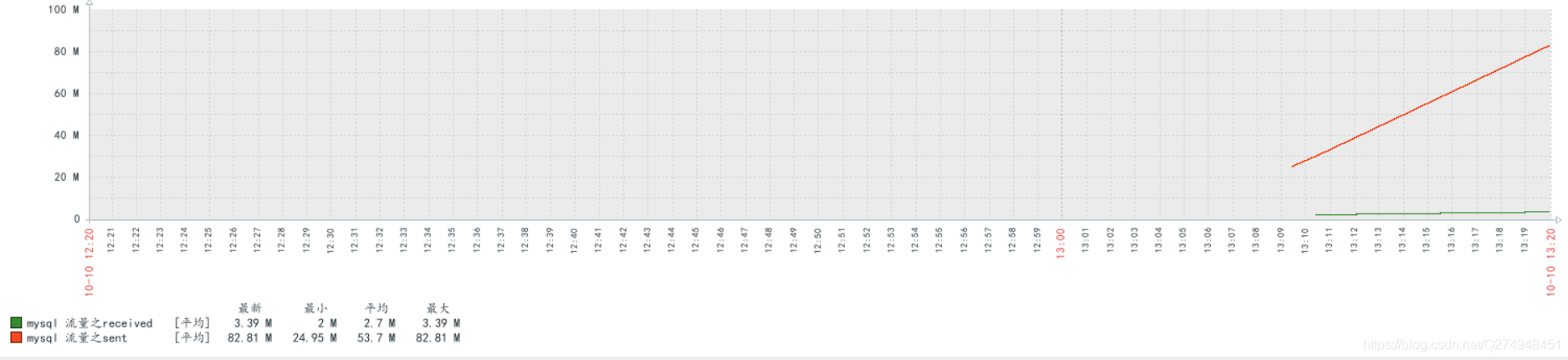
查看mysql流量數據

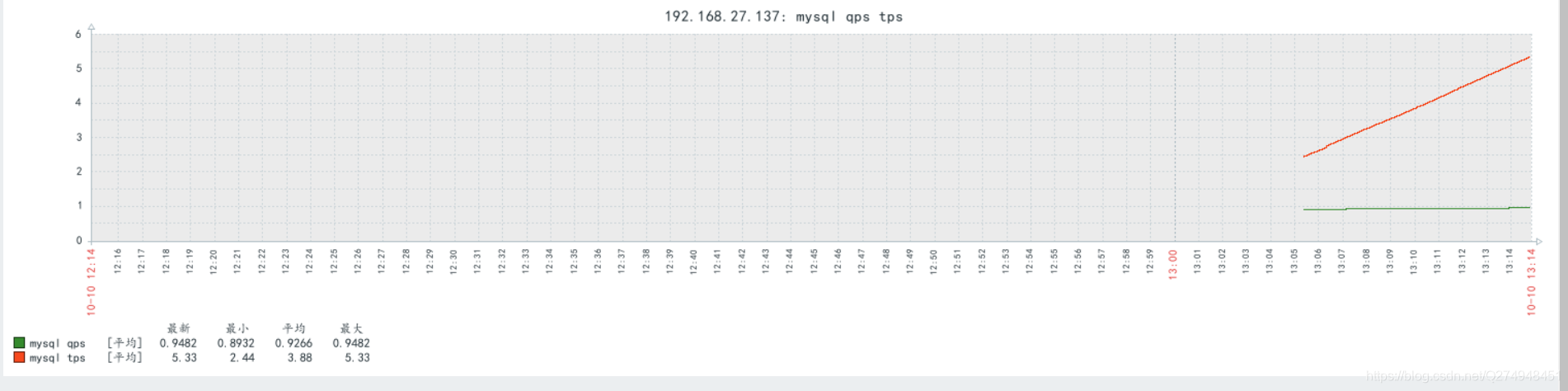
查看mysql qps tps
查看mysql主從狀態

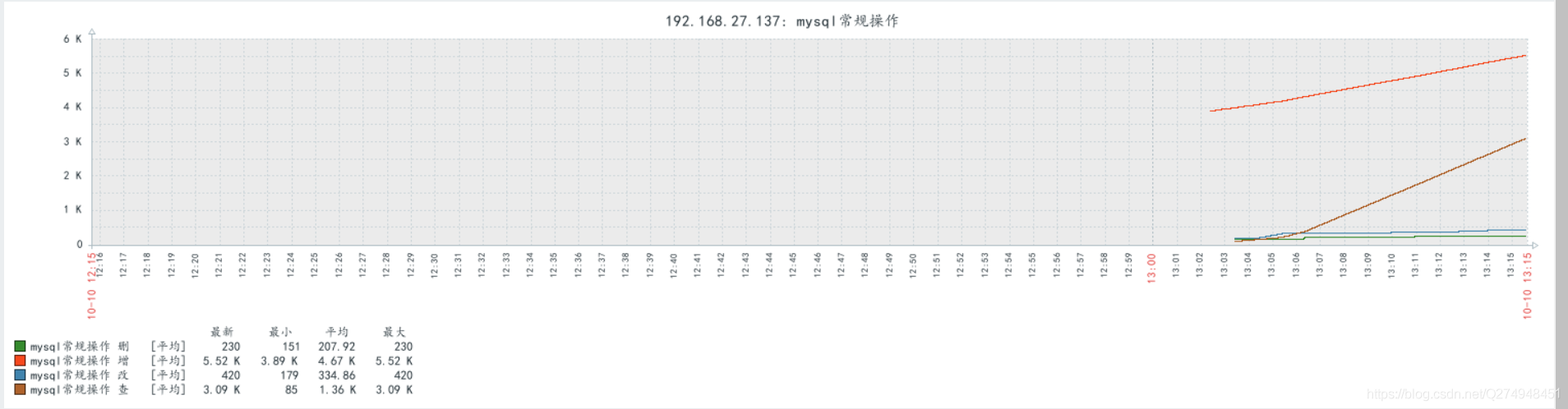
查看mysql常規操作
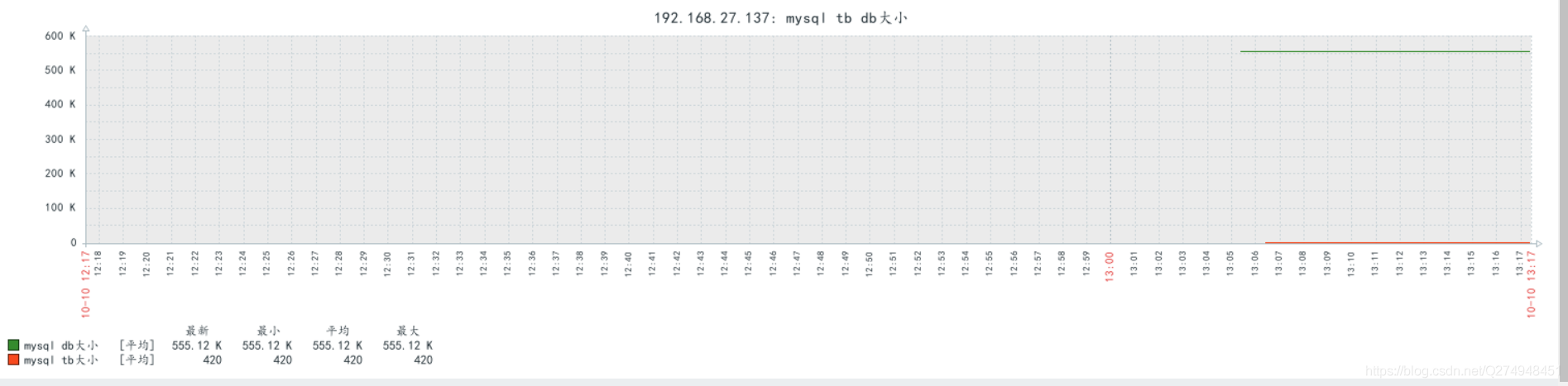
查看mysql庫表大小
mysql主從配置
一.zabbix-server端
[root@localhost ~]# vim /etc/my.cnf
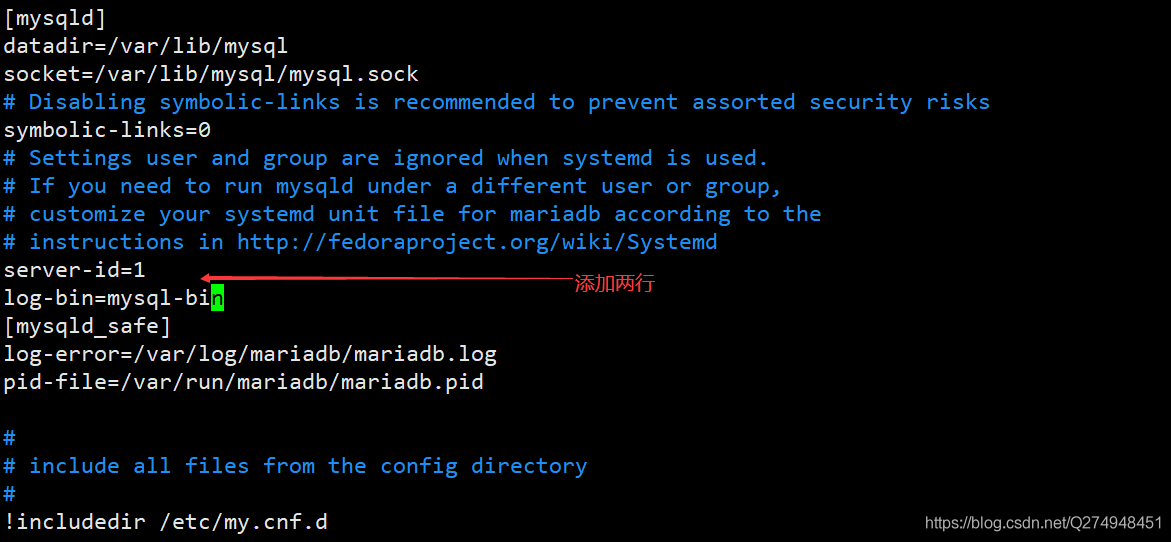
[root@localhost ~]# systemctl restart mariadb[root@localhost ~]# mysqlWelcome to the MariaDB monitor. Commands end with ; or \g.Your MariaDB connection id is 7Server version: 5.5.65-MariaDB MariaDB ServerCopyright (c) 2000, 2018, Oracle, MariaDB Corporation Ab and others.Type "help;" or "\h" for help. Type "\c" to clear the current input statement.MariaDB [(none)]> show master status;+------------------+----------+--------------+------------------+| File | Position | Binlog_Do_DB | Binlog_Ignore_DB |+------------------+----------+--------------+------------------+| mysql-bin.000001 | 175170 | | |+------------------+----------+--------------+------------------+1 row in set (0.00 sec)MariaDB [(none)]> grant all on *.* to "tom"@"%" identified by "123";Query OK, 0 rows affected (0.00 sec)MariaDB [(none)]> flush privileges;Query OK, 0 rows affected (0.00 sec)
二.zabbix-agent端
[root@localhost ~]# vim /etc/my.cnf
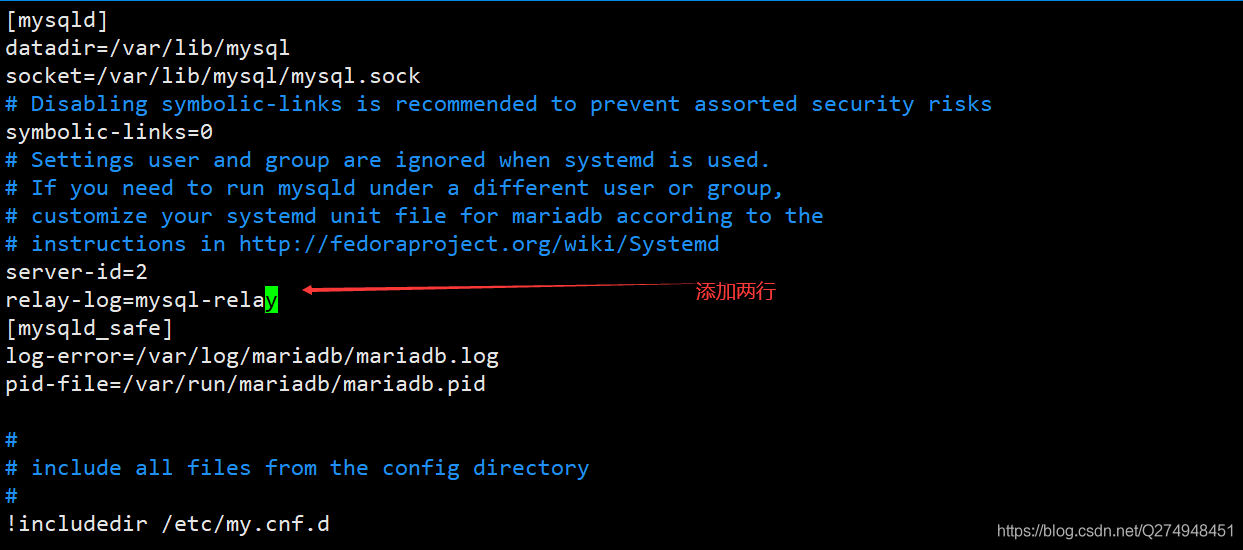
[root@localhost ~]# systemctl restart mariadb[root@localhost ~]# mysqlWelcome to the MariaDB monitor. Commands end with ; or \g.Your MariaDB connection id is 2Server version: 5.5.65-MariaDB MariaDB ServerCopyright (c) 2000, 2018, Oracle, MariaDB Corporation Ab and others.Type "help;" or "\h" for help. Type "\c" to clear the current input statement.MariaDB [(none)]> change master to -> master_host="192.168.27.136", -> master_user="tom", -> master_password="123", -> master_log_file="mysql-bin.000001", -> master_log_pos=175170;Query OK, 0 rows affected (0.01 sec)MariaDB [(none)]> start slave;Query OK, 0 rows affected (0.00 sec)MariaDB [(none)]> show slave status \G;*************************** 1. row *************************** Slave_IO_State: Waiting for master to send event Master_Host: 192.168.27.136 Master_User: tom Master_Port: 3306 Connect_Retry: 60 Master_Log_File: mysql-bin.000001 Read_Master_Log_Pos: 175170 Relay_Log_File: mysql-relay.000004 Relay_Log_Pos: 529 Relay_Master_Log_File: mysql-bin.000001 Slave_IO_Running: Yes Slave_SQL_Running: No Replicate_Do_DB: Replicate_Ignore_DB: Replicate_Do_Table: Replicate_Ignore_Table: Replicate_Wild_Do_Table: Replicate_Wild_Ignore_Table: Last_Errno: 1146 Last_Error: Error "Table "zabbix.history_uint" doesn"t exist" on query. Default database: "zabbix". Query: "insert into history_uint (itemid,clock,ns,value) values (23287,1602301747,810415730,1)" Skip_Counter: 0 Exec_Master_Log_Pos: 173424 Relay_Log_Space: 2565 Until_Condition: None Until_Log_File: Until_Log_Pos: 0 Master_SSL_Allowed: No Master_SSL_CA_File: Master_SSL_CA_Path: Master_SSL_Cert: Master_SSL_Cipher: Master_SSL_Key: Seconds_Behind_Master: NULLMaster_SSL_Verify_Server_Cert: No Last_IO_Errno: 0 Last_IO_Error: Last_SQL_Errno: 1146 Last_SQL_Error: Error "Table "zabbix.history_uint" doesn"t exist" on query. Default database: "zabbix". Query: "insert into history_uint (itemid,clock,ns,value) values (23287,1602301747,810415730,1)" Replicate_Ignore_Server_Ids: Master_Server_Id: 11 row in set (0.00 sec)ERROR: No query specified
報錯處理
[root@localhost ~]# vim /etc/my.cnf
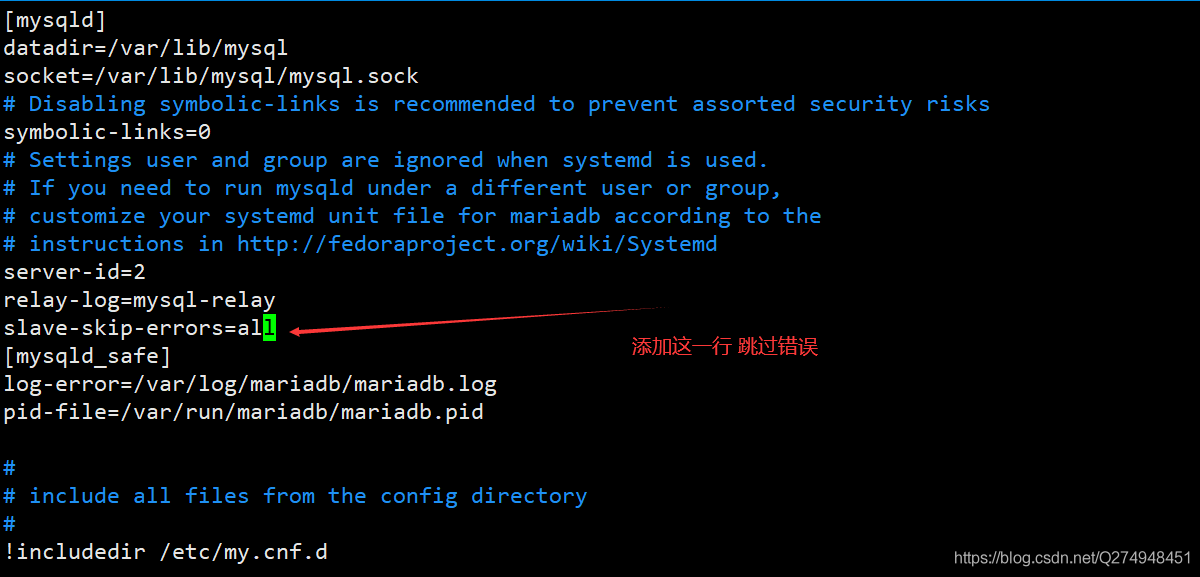
[root@localhost ~]# systemctl restart mariadb[root@localhost ~]# mysqlWelcome to the MariaDB monitor. Commands end with ; or \g.Your MariaDB connection id is 4Server version: 5.5.65-MariaDB MariaDB ServerCopyright (c) 2000, 2018, Oracle, MariaDB Corporation Ab and others.Type "help;" or "\h" for help. Type "\c" to clear the current input statement.MariaDB [(none)]> show slave status \G;*************************** 1. row *************************** Slave_IO_State: Waiting for master to send event Master_Host: 192.168.27.136 Master_User: tom Master_Port: 3306 Connect_Retry: 60 Master_Log_File: mysql-bin.000001 Read_Master_Log_Pos: 199126 Relay_Log_File: mysql-relay.000006 Relay_Log_Pos: 3950 Relay_Master_Log_File: mysql-bin.000001 Slave_IO_Running: Yes Slave_SQL_Running: Yes Replicate_Do_DB: Replicate_Ignore_DB: Replicate_Do_Table: Replicate_Ignore_Table: Replicate_Wild_Do_Table: Replicate_Wild_Ignore_Table: Last_Errno: 0 Last_Error: Skip_Counter: 0 Exec_Master_Log_Pos: 199126 Relay_Log_Space: 4240 Until_Condition: None Until_Log_File: Until_Log_Pos: 0 Master_SSL_Allowed: No Master_SSL_CA_File: Master_SSL_CA_Path: Master_SSL_Cert: Master_SSL_Cipher: Master_SSL_Key: Seconds_Behind_Master: 0Master_SSL_Verify_Server_Cert: No Last_IO_Errno: 0 Last_IO_Error: Last_SQL_Errno: 0 Last_SQL_Error: Replicate_Ignore_Server_Ids: Master_Server_Id: 11 row in set (0.00 sec)
到此這篇關于zabbix 監控mysql的方法的文章就介紹到這了,更多相關zabbix 監控mysql內容請搜索以前的文章或繼續瀏覽下面的相關文章希望大家以后多多支持!
標簽:
Zabbix
相關文章:
排行榜
 網公網安備
網公網安備