python實(shí)現(xiàn)股票歷史數(shù)據(jù)可視化分析案例
投資有風(fēng)險(xiǎn),選擇需謹(jǐn)慎。 股票交易數(shù)據(jù)分析可直觀股市走向,對(duì)于如何把握股票行情,快速解讀股票交易數(shù)據(jù)有不可替代的作用!
1 數(shù)據(jù)預(yù)處理1.1 股票歷史數(shù)據(jù)csv文件讀取import pandas as pdimport csv
df = pd.read_csv('/home/kesci/input/maotai4154/maotai.csv')
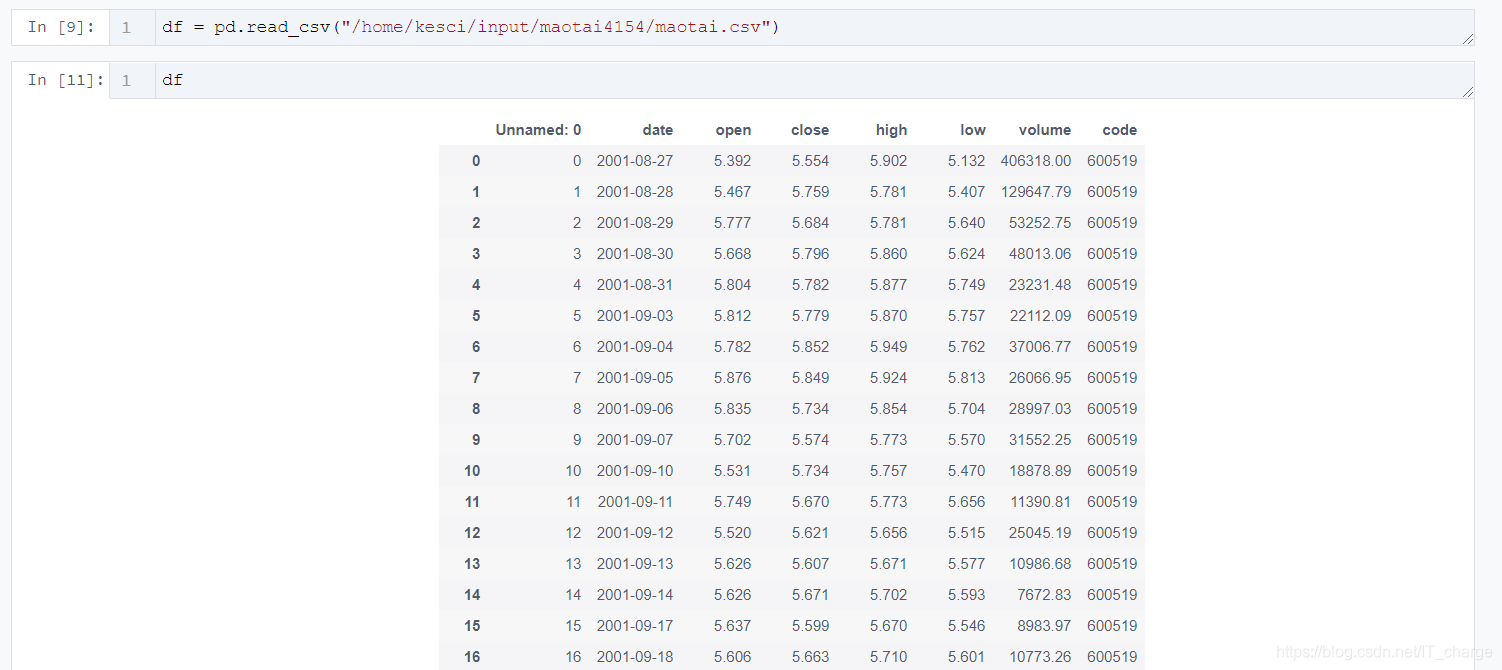
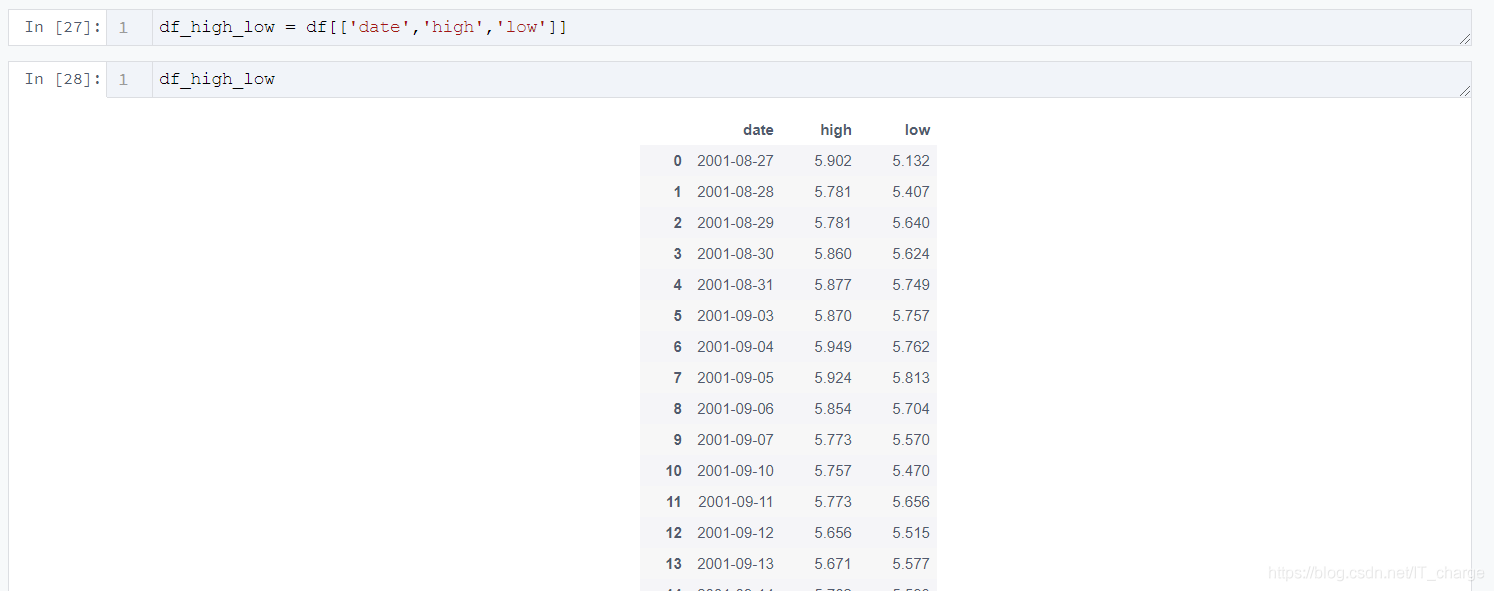
df_high_low = df[[’date’,’high’,’low’]]
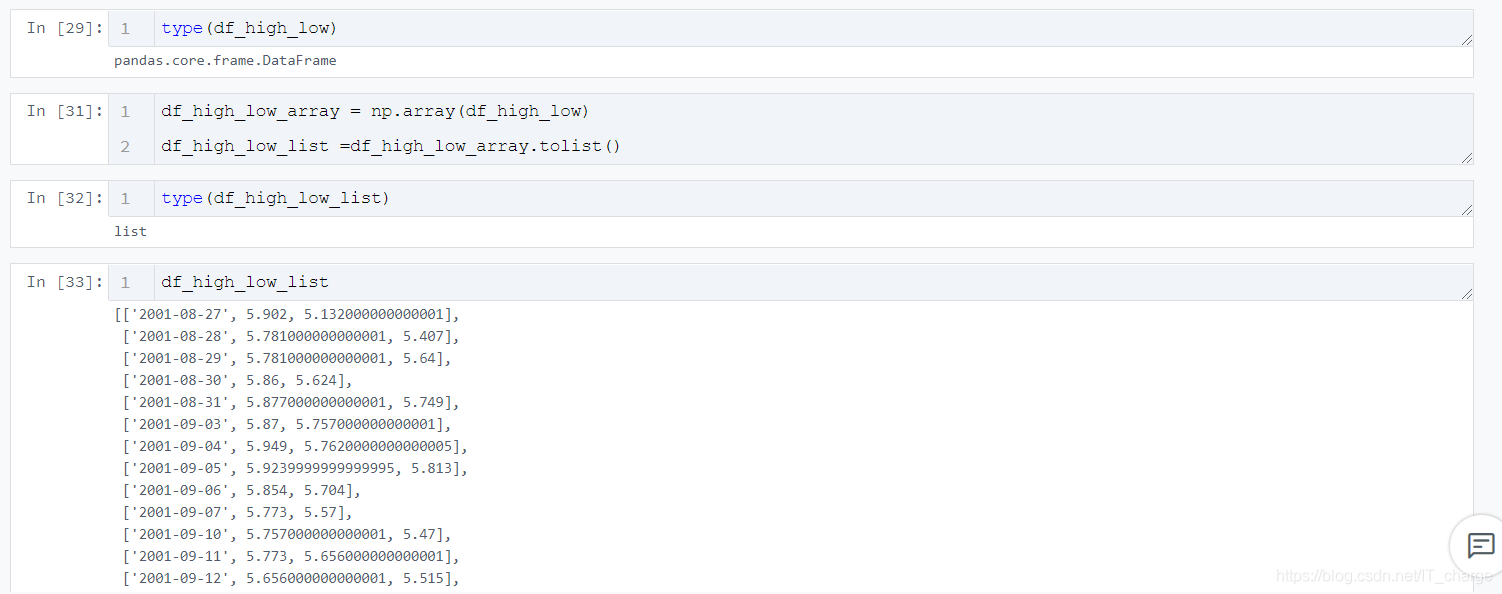
df_high_low_array = np.array(df_high_low)df_high_low_list =df_high_low_array.tolist()
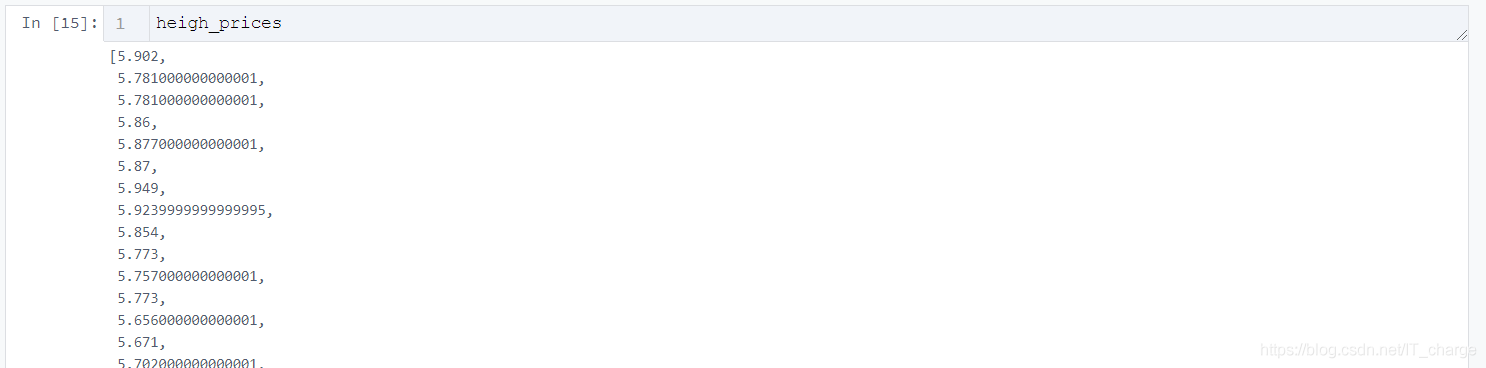
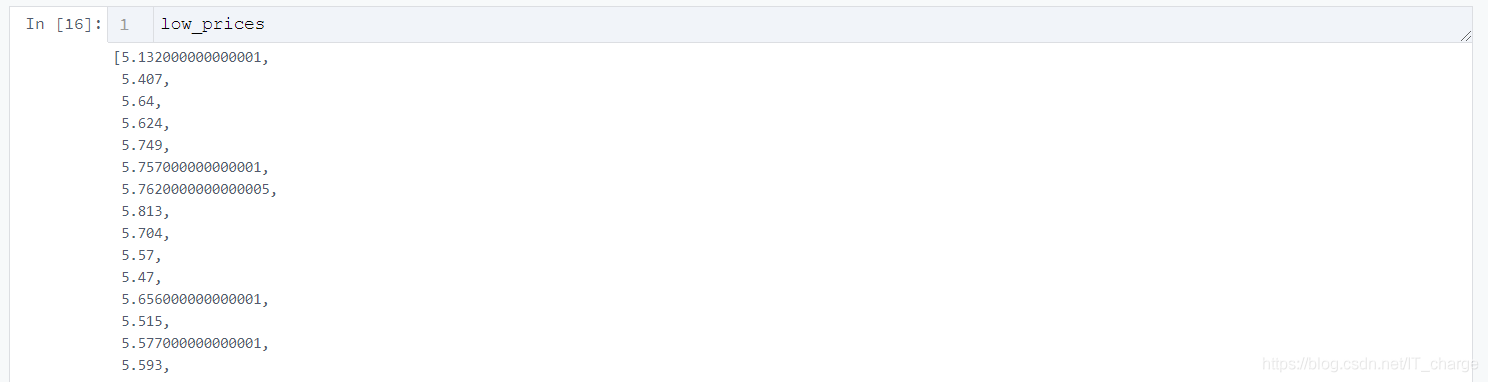
price_dates, heigh_prices, low_prices = [], [], []for content in zip(df_high_low_list): price_date = content[0][0] heigh_price = content[0][1] low_price = content[0][2] price_dates.append(price_date) heigh_prices.append(heigh_price) low_prices.append(low_price)

import pyecharts.options as optsfrom pyecharts.charts import Line2.2 初始化畫布
Line(init_opts=opts.InitOpts(width='1200px', height='600px'))2.3 根據(jù)需要傳入關(guān)鍵性數(shù)據(jù)并畫圖
.add_yaxis(series_name='最低價(jià)',y_axis=low_prices,markpoint_opts=opts.MarkPointOpts( data=[opts.MarkPointItem(value=-2, name='周最低', x=1, y=-1.5)]),markline_opts=opts.MarkLineOpts( data=[opts.MarkLineItem(type_='average', name='平均值'),opts.MarkLineItem(symbol='none', x='90%', y='max'),opts.MarkLineItem(symbol='circle', type_='max', name='最高點(diǎn)'), ]), )
tooltip_opts=opts.TooltipOpts(trigger='axis'),toolbox_opts=opts.ToolboxOpts(is_show=True),xaxis_opts=opts.AxisOpts(type_='category', boundary_gap=True)2.4 將生成的文件形成HTML代碼并下載
.render('HTML名字填這里.html')

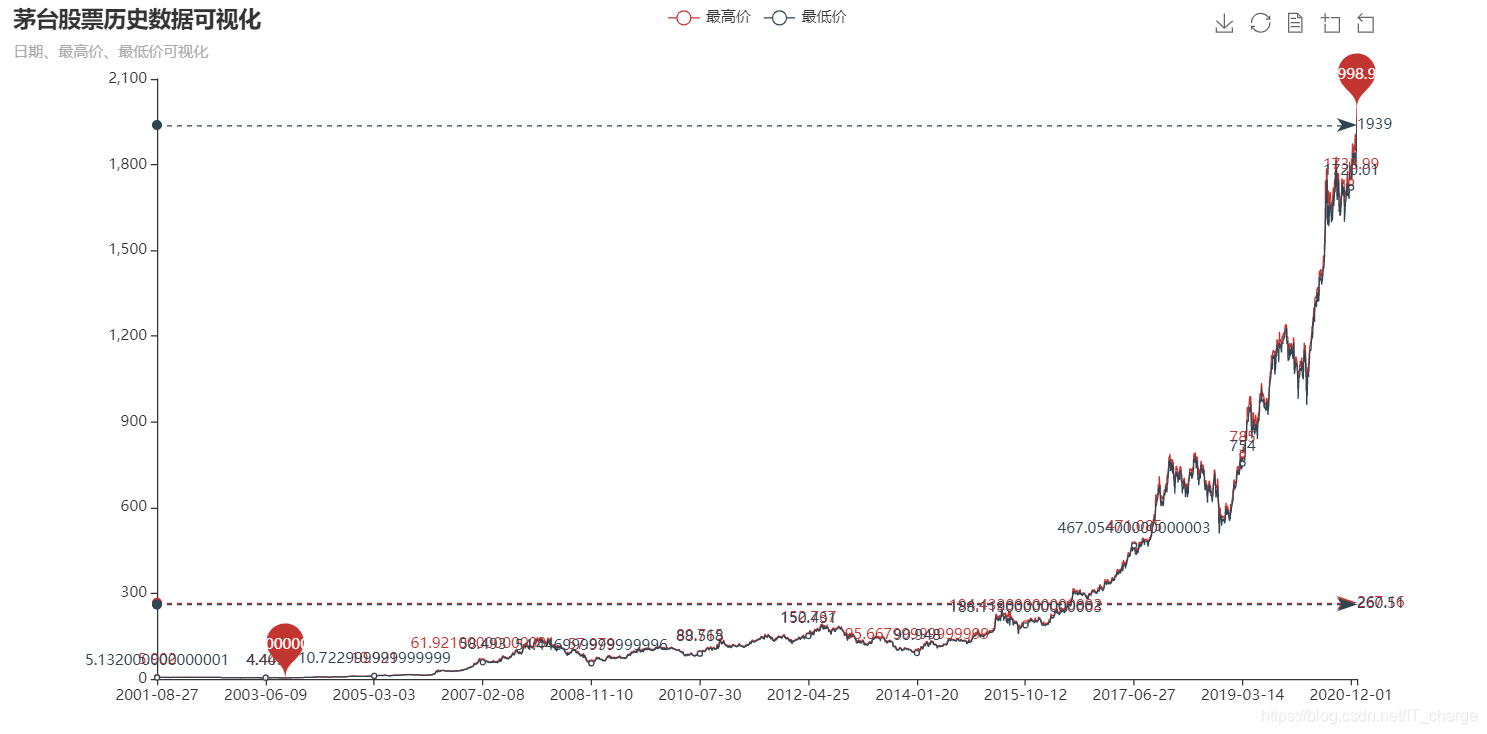
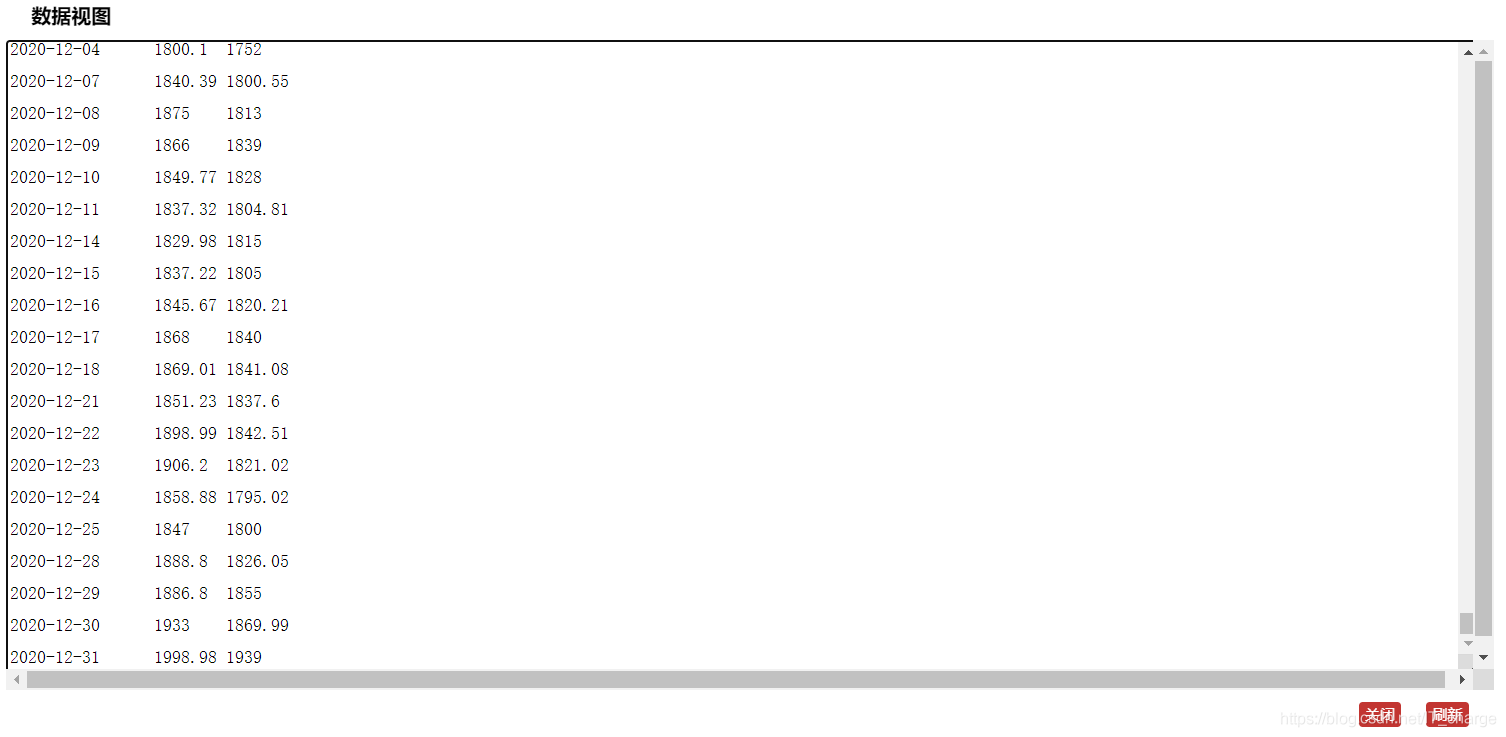
import pyecharts.options as optsfrom pyecharts.charts import Line ( Line(init_opts=opts.InitOpts(width='1200px', height='600px')) .add_xaxis(xaxis_data=price_dates) .add_yaxis(series_name='最高價(jià)',y_axis=heigh_prices,markpoint_opts=opts.MarkPointOpts( data=[opts.MarkPointItem(type_='max', name='最大值'),opts.MarkPointItem(type_='min', name='最小值'), ]),markline_opts=opts.MarkLineOpts( data=[opts.MarkLineItem(type_='average', name='平均值')]), ) .add_yaxis(series_name='最低價(jià)',y_axis=low_prices,markpoint_opts=opts.MarkPointOpts( data=[opts.MarkPointItem(value=-2, name='周最低', x=1, y=-1.5)]),markline_opts=opts.MarkLineOpts( data=[opts.MarkLineItem(type_='average', name='平均值'),opts.MarkLineItem(symbol='none', x='90%', y='max'),opts.MarkLineItem(symbol='circle', type_='max', name='最高點(diǎn)'), ]), ) .set_global_opts(title_opts=opts.TitleOpts(title='茅臺(tái)股票歷史數(shù)據(jù)可視化', subtitle='日期、最高價(jià)、最低價(jià)可視化'),tooltip_opts=opts.TooltipOpts(trigger='axis'),toolbox_opts=opts.ToolboxOpts(is_show=True),xaxis_opts=opts.AxisOpts(type_='category', boundary_gap=True), ) .render('everyDayPrice_change_line_chart2.html'))3 結(jié)果展示

到此這篇關(guān)于python實(shí)現(xiàn)股票歷史數(shù)據(jù)可視化分析案例的文章就介紹到這了,更多相關(guān)python股票數(shù)據(jù)可視化內(nèi)容請(qǐng)搜索好吧啦網(wǎng)以前的文章或繼續(xù)瀏覽下面的相關(guān)文章希望大家以后多多支持好吧啦網(wǎng)!
相關(guān)文章:
1. PHP驗(yàn)證碼工具-Securimage2. 一文帶你徹底理解Java序列化和反序列化3. 關(guān)于IDEA 2020.3 多窗口視圖丟失的問題4. JS實(shí)現(xiàn)前端動(dòng)態(tài)分頁碼代碼實(shí)例5. javascript實(shí)現(xiàn)貪吃蛇小練習(xí)6. 用Spring JMS使異步消息變得簡(jiǎn)單7. js實(shí)現(xiàn)碰撞檢測(cè)8. Python 制作查詢商品歷史價(jià)格的小工具9. ASP.NET MVC使用jQuery ui的progressbar實(shí)現(xiàn)進(jìn)度條10. Python 下載Bing壁紙的示例

 網(wǎng)公網(wǎng)安備