一文秒懂springboot druid 配置
Druid是阿里巴巴開發(fā)的一個連接池,他提供了一個高效、功能強大、可擴展性好的數(shù)據(jù)庫連接池,區(qū)別于hikari。如果選擇高性能可以選hikari,如果要功能多就選,druid。
首先pom引入依賴
<dependency> <groupId>log4j</groupId> <artifactId>log4j</artifactId> <version>1.2.17</version></dependency> <dependency> <groupId>com.alibaba</groupId> <artifactId>druid</artifactId> <version>1.2.6</version></dependency>
然后yml配置參數(shù)
server: port: 8888spring: datasource: username: root password: root url: jdbc:mysql://localhost:3306/mybatis?useUnicode=true&characterEncoding=utf-8&useSSL=true&serverTimezone=UTC driver-class-name: com.mysql.cj.jdbc.Driver type: com.alibaba.druid.pool.DruidDataSource initialSize: 10 minIdle: 1 maxActive: 10 maxWait: 10000 timeBetweenEvictionRunsMillis: 6000 minEvictableIdleTimeMillis: 300000 testWhileIdle: true testOnBorrow: true testOnReturn: true poolPreparedStatements: true maxPoolPreparedStatementPerConnectionSize: 20 validationQuery: select 1# stat 監(jiān)控統(tǒng)計,wall 防止sql注入,log4j (yml 要配置,不然會報錯) 日志統(tǒng)計 filters: stat,wall,log4j
然后在項目config下配置參數(shù)
import java.util.HashMap;@Configurationpublic class DruidConfig implements WebMvcConfigurer { @Bean @ConfigurationProperties(prefix = 'spring.datasource') public DataSource druidDataSource(){return new DruidDataSource(); } //后臺監(jiān)控 @Bean public ServletRegistrationBean statViewServlet(){ServletRegistrationBean<StatViewServlet> statViewServlet = new ServletRegistrationBean<>(new StatViewServlet(), '/druid/*');//配置后臺登錄用戶名密碼HashMap<String, String> objectObjectHashMap = new HashMap<>();//用戶名參數(shù)密碼不能改變,系統(tǒng)配置objectObjectHashMap.put('loginUsername','admin');objectObjectHashMap.put('loginPassword','admin');//允許誰可以訪問 為空時所有人可以訪問 例如:objectObjectHashMap.put('allow','localhost'); 代表只能自己訪問objectObjectHashMap.put('allow','');//禁止誰訪問 objectObjectHashMap.put('name','192.168.0.1');statViewServlet.setInitParameters(objectObjectHashMap);return statViewServlet; }}
然后就可以在后臺輸入 項目地址/druid進行登錄訪問
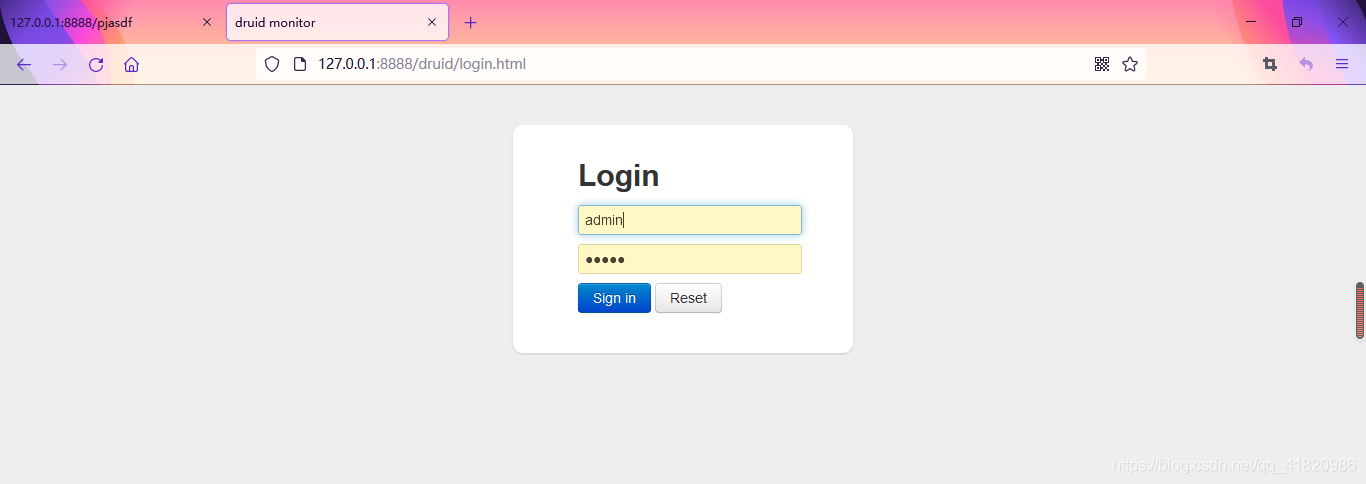
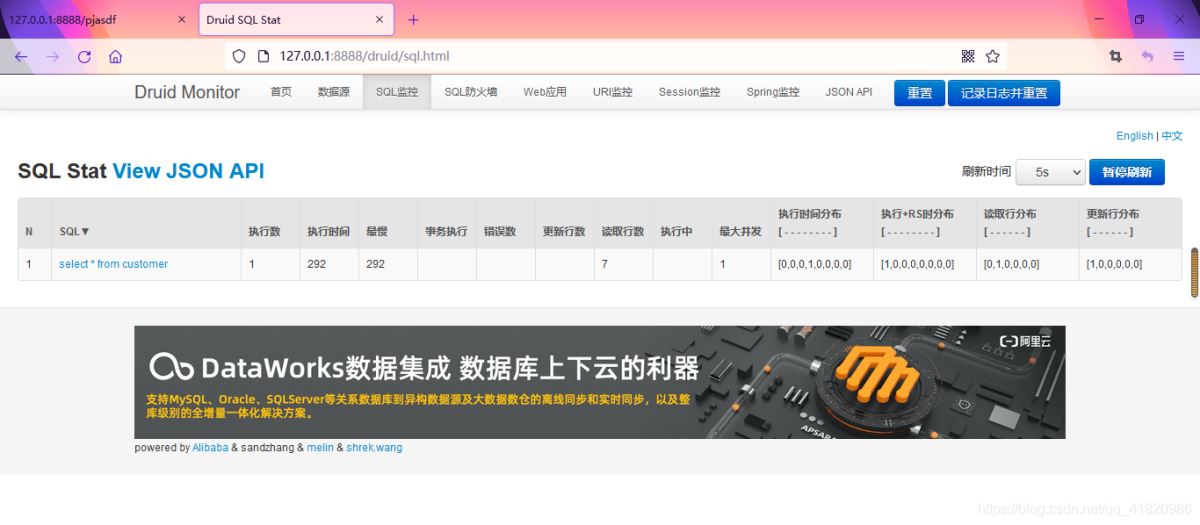
到此這篇關(guān)于一文秒懂springboot druid 配置的文章就介紹到這了,更多相關(guān)springboot druid 配置內(nèi)容請搜索好吧啦網(wǎng)以前的文章或繼續(xù)瀏覽下面的相關(guān)文章希望大家以后多多支持好吧啦網(wǎng)!
相關(guān)文章:
1. PHP laravel實現(xiàn)導(dǎo)出PDF功能2. Python-openpyxl表格讀取寫入的案例詳解3. JavaScript實現(xiàn)留言板實戰(zhàn)案例4. 資深程序員:給Python軟件開發(fā)測試的25個忠告!5. Python使用Selenium自動進行百度搜索的實現(xiàn)6. JS中6個對象數(shù)組去重的方法7. 使用Blazor框架實現(xiàn)在前端瀏覽器中導(dǎo)入和導(dǎo)出Excel8. ASP基礎(chǔ)知識Command對象講解9. vscode運行php報錯php?not?found解決辦法10. python中文本字符處理的簡單方法記錄
 網(wǎng)公網(wǎng)安備