spring boot加載freemarker模板路徑的方法
1,之前用的eclipse開發(fā)工具來加載spring boot加載freemarker模板路徑,現(xiàn)在換用idea卻不能使用了,所以來記錄一下加載freemarker模板三種方式,如下
public void setClassForTemplateLoading(Class clazz, String pathPrefix);public void setDirectoryForTemplateLoading(File dir) throws IOException;public void setServletContextForTemplateLoading(Object servletContext, String path);
看名字也就知道了,分別基于類路徑、文件系統(tǒng)以及Servlet Context。第一種是我用idea,spring boot加載freemarker配置的①首先設(shè)置spring boot加載freemarker模板的配置(代替了xml配置),如下

②通過Configuration來獲取freemarker文件路徑
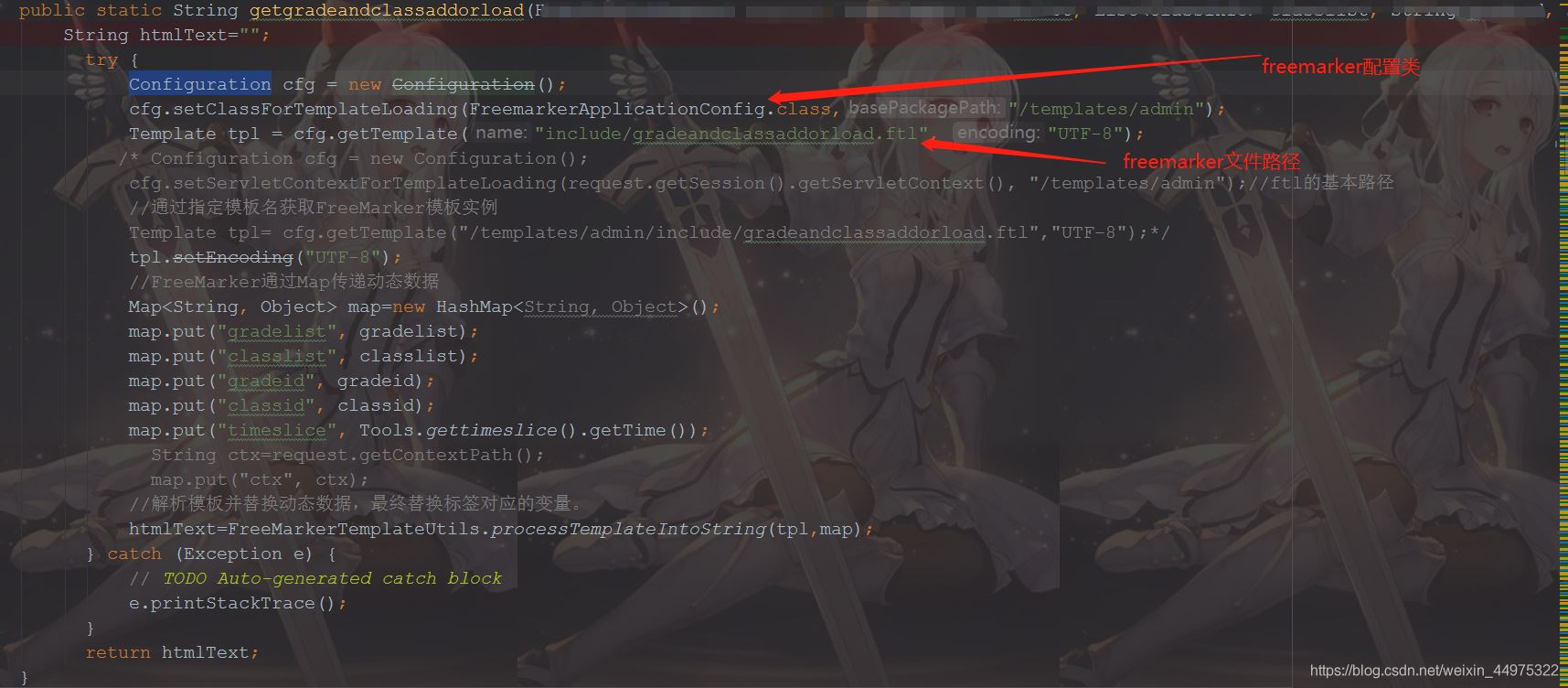
這個(gè)方法是根據(jù)類加載路徑來判斷的,最終會(huì)執(zhí)行以下代碼
FreemarkerUtil.class.getClassLoader().getResource('/template/');
第二種基于文件系統(tǒng)。 比如加載/home/user/template下的模板文件。
Configuration cfg = new Configuration();cfg.setDirectoryForTemplateLoading(new File('/home/user/template'));cfg.getTemplate('Base.ftl');
這樣就獲得了/home/user/template/Base.ftl這個(gè)模板文件第三種基于web project。 第二個(gè)參數(shù)是基于WebRoot下的。使用xml配置來看看
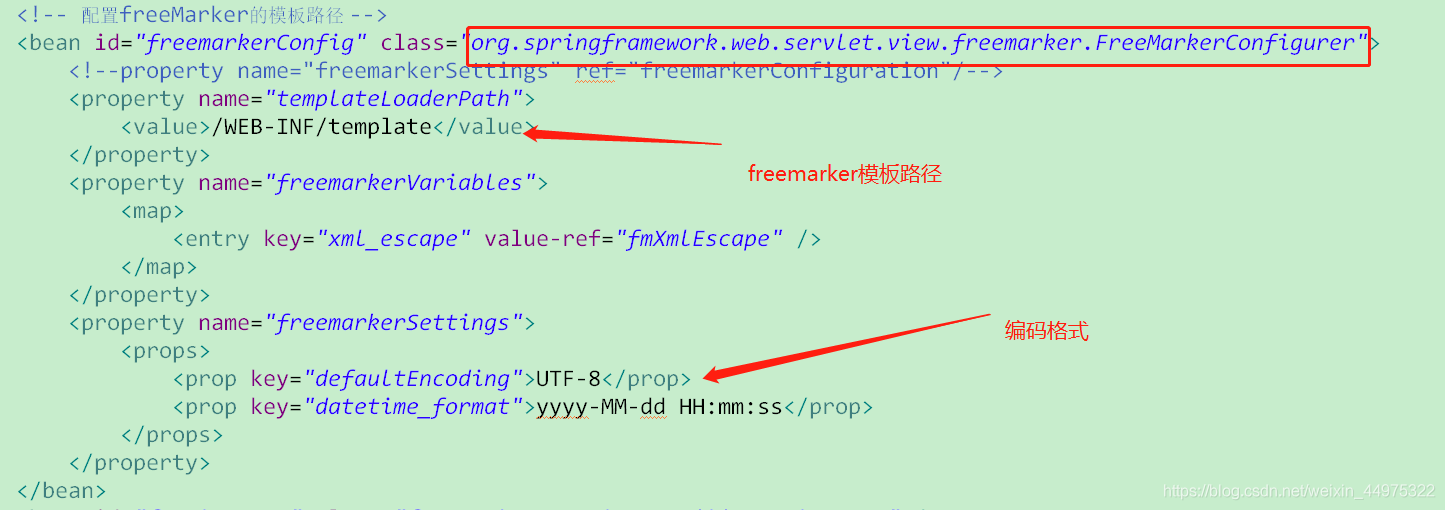

這里注意一下第二個(gè)參數(shù)需要以 “/” 開頭。
到此這篇關(guān)于spring boot加載freemarker模板路徑的文章就介紹到這了,更多相關(guān)spring boot freemarker模板路徑內(nèi)容請(qǐng)搜索好吧啦網(wǎng)以前的文章或繼續(xù)瀏覽下面的相關(guān)文章希望大家以后多多支持好吧啦網(wǎng)!
相關(guān)文章:
1. ASP基礎(chǔ)知識(shí)VBScript基本元素講解2. Python 利用Entrez庫(kù)篩選下載PubMed文獻(xiàn)摘要的示例3. Python 制作查詢商品歷史價(jià)格的小工具4. Linux刪除系統(tǒng)自帶版本Python過程詳解5. Python3 json模塊之編碼解碼方法講解6. python 使用事件對(duì)象asyncio.Event來同步協(xié)程的操作7. Python sublime安裝及配置過程詳解8. Python 合并拼接字符串的方法9. Python插件機(jī)制實(shí)現(xiàn)詳解10. ASP.NET MVC使用jQuery ui的progressbar實(shí)現(xiàn)進(jìn)度條

 網(wǎng)公網(wǎng)安備