基于SpringBoot實現(xiàn)定時發(fā)送郵件過程解析
前提:
1.Springboot項目
2.引入maven 依賴
<dependency> <groupId>org.springframework.boot</groupId> <artifactId>spring-boot-starter-mail</artifactId> </dependency>
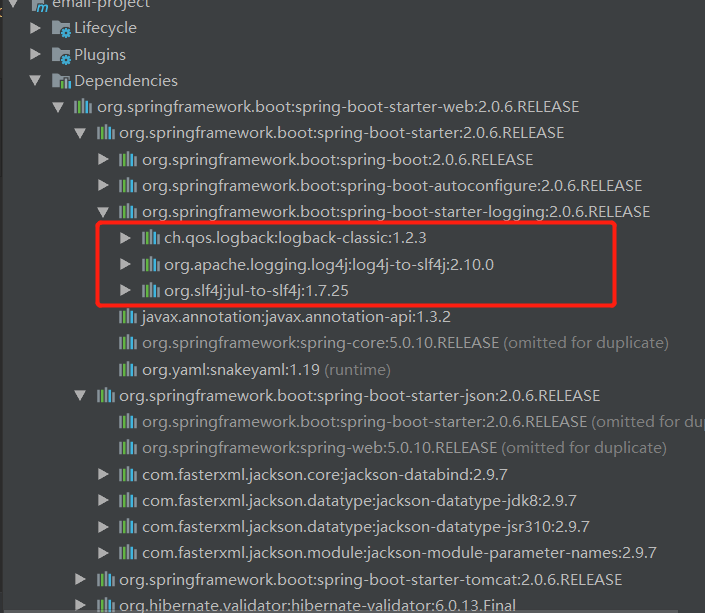
以下代碼中涉及到的maven依賴有日志依賴,但是springboot都有集成,不用重新引入依賴
Application(程序入口)
package com.springbootemaildemo;import org.springframework.boot.SpringApplication;import org.springframework.boot.autoconfigure.SpringBootApplication;import org.springframework.scheduling.annotation.EnableScheduling;import springfox.documentation.swagger2.annotations.EnableSwagger2;/** * 引入了一個注解@EnableSwagger2來啟動swagger注解。(啟動該注解使得用在controller中的swagger注解生效, 覆蓋的范圍由@ComponentScan的配置來指定, * 這里默認(rèn)指定為根路徑”com.springboot”下的所有controller) * 也可以單獨寫衣swaggerConfigura */@EnableScheduling //啟動定時任務(wù)@EnableSwagger2 //啟動swagger注解@SpringBootApplicationpublic class MailApplication { public static void main(String[] args) { SpringApplication.run(MailApplication.class, args); }}
MailJob(定時任務(wù)類)
package com.springbootemaildemo.job;import com.springbootemaildemo.send.SendMail;import com.springbootemaildemo.send.TenSenvenMail;import org.slf4j.Logger;import org.slf4j.LoggerFactory;import org.springframework.scheduling.annotation.EnableScheduling;import org.springframework.scheduling.annotation.Scheduled;import org.springframework.stereotype.Component;import javax.annotation.Resource;@Component@EnableSchedulingpublic class MailJob { private static final Logger logger = LoggerFactory.getLogger(MailJob.class); @Resource SendMail sendMail; @Resource TenSenvenMail tenSenvenMail; //@Scheduled(cron = '0/5 * * * * ?') //或直接指定時間間隔,例如:100秒 // @Scheduled(fixedRate=100000) //早晨7點 @Scheduled(cron = '0 0 7 * * ?') public void sendJob() { String bodyTen = '早安哇,太陽出來啦,記得開心喲'; String bodyWen = '記得開心喲'; logger.info('定時任務(wù)開始..........................'); sendMail.sendWen(bodyWen); tenSenvenMail.sendTen(bodyTen); logger.info('定時任務(wù)結(jié)束..........................'); }}
@EnableScheduling 這個注解是 開啟定時任務(wù)。
發(fā)送郵件代碼:
發(fā)送普通的郵件(發(fā)送郵件類):
package com.springbootemaildemo.send;import org.slf4j.Logger;import org.slf4j.LoggerFactory;import org.springframework.stereotype.Component;import javax.mail.Message;import javax.mail.MessagingException;import javax.mail.Session;import javax.mail.Transport;import javax.mail.internet.InternetAddress;import javax.mail.internet.MimeMessage;import java.util.Date;import java.util.Properties;@Componentpublic class SendMail { private static final Logger logger = LoggerFactory.getLogger(SendMail.class); public void sendWen(String body) { logger.info('開始發(fā)送..................'); String from = '212212@qq.com'; String to = '5456456@qq.com'; String subject = 'HAPPY'; String smtpHost = 'smtp.qq.com'; Properties props = new Properties(); props.setProperty('mail.transport.protocol', 'smtp'); // 使用的協(xié)議(JavaMail規(guī)范要求) props.setProperty('mail.smtp.host', smtpHost); // 發(fā)件人的郵箱的 SMTP服務(wù)器地址 props.setProperty('mail.smtp.auth', 'true'); // 請求認(rèn)證,參數(shù)名稱與具體實現(xiàn)有關(guān) // 創(chuàng)建Session實例對象 Session session = Session.getDefaultInstance(props); // 創(chuàng)建MimeMessage實例對象 MimeMessage message = new MimeMessage(session); // 設(shè)置發(fā)件人 try { message.setFrom(new InternetAddress(from)); // 設(shè)置收件人 message.setRecipients(Message.RecipientType.TO, InternetAddress.parse(to)); // 設(shè)置發(fā)送日期 message.setSentDate(new Date()); // 設(shè)置郵件主題 message.setSubject(subject); // 設(shè)置純文本內(nèi)容的郵件正文 message.setText(body); // 保存并生成最終的郵件內(nèi)容 message.saveChanges(); // 設(shè)置為debug模式, 可以查看詳細(xì)的發(fā)送 log session.setDebug(true); // 獲取Transport對象 Transport transport = session.getTransport('smtp'); // 第2個參數(shù)需要填寫的是QQ郵箱的SMTP的授權(quán)碼,什么是授權(quán)碼,它又是如何設(shè)置? transport.connect(from, 'ipeiquufachheefg'); // 發(fā)送,message.getAllRecipients() 獲取到的是在創(chuàng)建郵件對象時添加的所有收件人, 抄送人, 密送人 transport.sendMessage(message, message.getAllRecipients()); logger.info('發(fā)送完成'); transport.close(); } catch (MessagingException e) { e.printStackTrace(); } }}
以上就是本文的全部內(nèi)容,希望對大家的學(xué)習(xí)有所幫助,也希望大家多多支持好吧啦網(wǎng)。
相關(guān)文章:
1. 使用Python webdriver圖書館搶座自動預(yù)約的正確方法2. ASP基礎(chǔ)知識VBScript基本元素講解3. 在線php代碼縮進(jìn)、代碼美化工具:PHP Formatter4. Linux刪除系統(tǒng)自帶版本Python過程詳解5. Android 簡單的實現(xiàn)滑塊拼圖驗證碼功能6. 淺談由position屬性引申的css進(jìn)階討論7. ASP.NET MVC使用jQuery ui的progressbar實現(xiàn)進(jìn)度條8. PHP如何開啟Opcache功能提升程序處理效率9. Python 合并拼接字符串的方法10. Python3 json模塊之編碼解碼方法講解
 網(wǎng)公網(wǎng)安備