vue實現(xiàn)頂部菜單欄
vue實現(xiàn)頂部菜單欄,同一個頁面兩個菜單按鈕之間的切換
先看展示結(jié)果:點擊第一個按鈕,顯示內(nèi)容1 點擊第二個按鈕,展示內(nèi)容2
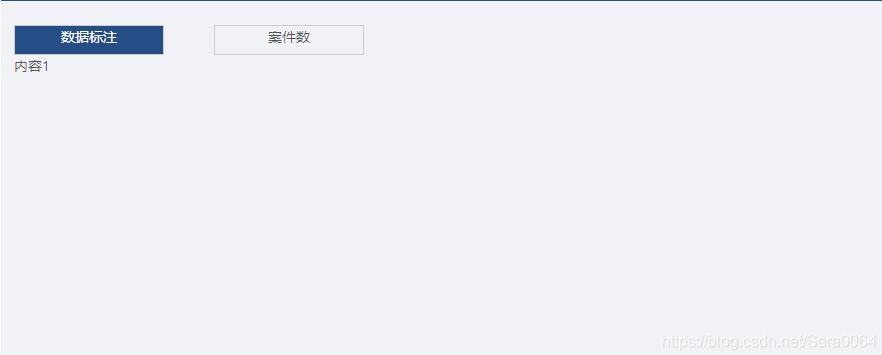
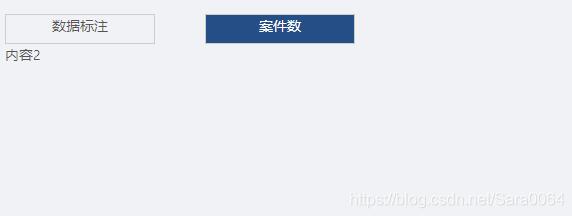
下面上源碼:注意哦,一定要代碼規(guī)劃,別學(xué)我(⊙o⊙)
<template><div> <div class='tab-content'> <div @click='cur=1' :class='{active:cur==1}'><span>數(shù)據(jù)標(biāo)注</span> </div> <div @click='cur=2' :class='{active:cur==2}'>案件數(shù)</div> </div> <div class='tab'> <div v-show='cur==1'> <div>內(nèi)容1</div> </div> <div v-show='cur==2'> <div>內(nèi)容2</div> </div> </div></div></template><script>export default { data () { return{ cur:1 } },methods:{ }}</script><style scoped>.tab-content .active{ background-color: #194e84 !important; color: #fff; }.tab-content1{ text-align: center; cursor: pointer; width: 150px; height: 30px; border: 1px solid #ccc;}.tab-content2{ margin-top:-30px; text-align: center; cursor: pointer; margin-left:200px; width: 150px; height: 30px; border: 1px solid #ccc;}</style>
分割線-----一個簡單的按鈕切換就完成了,思路very簡單,實現(xiàn)特別方便,也很好用哦: 是選中菜單時改變樣式的代碼哦
關(guān)于vue.js組件的教程,請大家點擊專題vue.js組件學(xué)習(xí)教程進(jìn)行學(xué)習(xí)。
更多vue學(xué)習(xí)教程請閱讀專題《vue實戰(zhàn)教程》
以上就是本文的全部內(nèi)容,希望對大家的學(xué)習(xí)有所幫助,也希望大家多多支持好吧啦網(wǎng)。
相關(guān)文章:

 網(wǎng)公網(wǎng)安備