vue項(xiàng)目中openlayers繪制行政區(qū)劃
vue項(xiàng)目中openlayers畫行政區(qū)劃(區(qū)域范圍),供大家參考,具體內(nèi)容如下
原理
在地圖上畫需要的范圍,實(shí)際上就是在地圖上打上一圈點(diǎn),然后依次將這些點(diǎn)用線連接,就形成了范圍
引用相應(yīng)的ol模塊
import VectorLayer from ’ol/layer/Vector’import VectorSource from ’ol/source/Vector’import { Map, View, Feature } from ’ol’import { Style, Icon, Stroke } from ’ol/style’import { Point, LineString, Polygon } from ’ol/geom’
獲取范圍點(diǎn)
這里我將點(diǎn)放在json文件中,然后通過axios讀取json文件截圖:
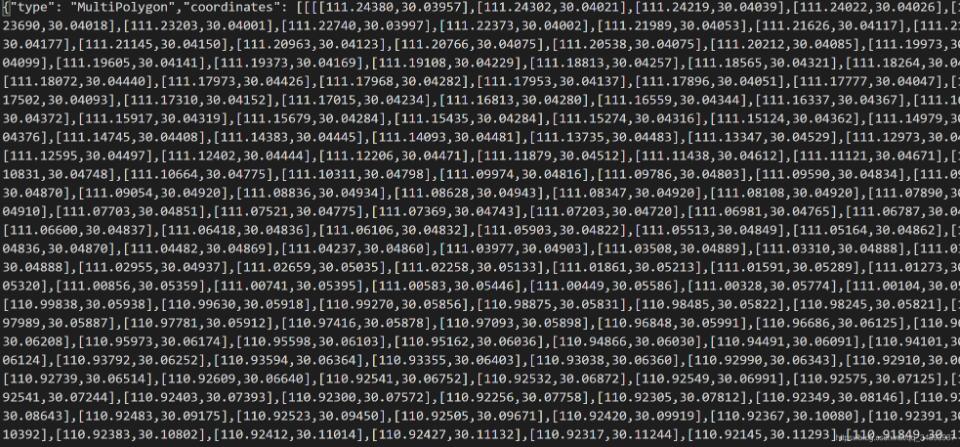
axios.get(’static/常德市.json’).then((res) => { let arr = res.data.coordinates let polygonFeature = new Feature({ type: ’polygon’, geometry: new Polygon(arr[0]) }) polygonFeature.setStyle(new Style({ stroke: new Stroke({ width: 2, color: [255, 255, 0, 0.8] }), fill: new Fill({ color: [248, 172, 166, 0.2] }) // text: new Text({ // text: ’這是區(qū)域’ // }) })) let polygonLayer = new VectorLayer({ source: new VectorSource({ features: [polygonFeature] }) }) this.gmap.addLayer(polygonLayer) }) axios.get(’static/懷化市沅陵縣.json’).then((res) => { let arr = res.data.coordinates let polygonFeature = new Feature({ type: ’polygon’, geometry: new Polygon(arr[0]) }) polygonFeature.setStyle(new Style({ stroke: new Stroke({ width: 2, color: [255, 255, 0, 0.8] }), fill: new Fill({ color: [248, 172, 166, 0.2] }) // text: new Text({ // text: ’這是區(qū)域’ // }) })) let polygonLayer = new VectorLayer({ source: new VectorSource({ features: [polygonFeature] }) }) this.gmap.addLayer(polygonLayer) })
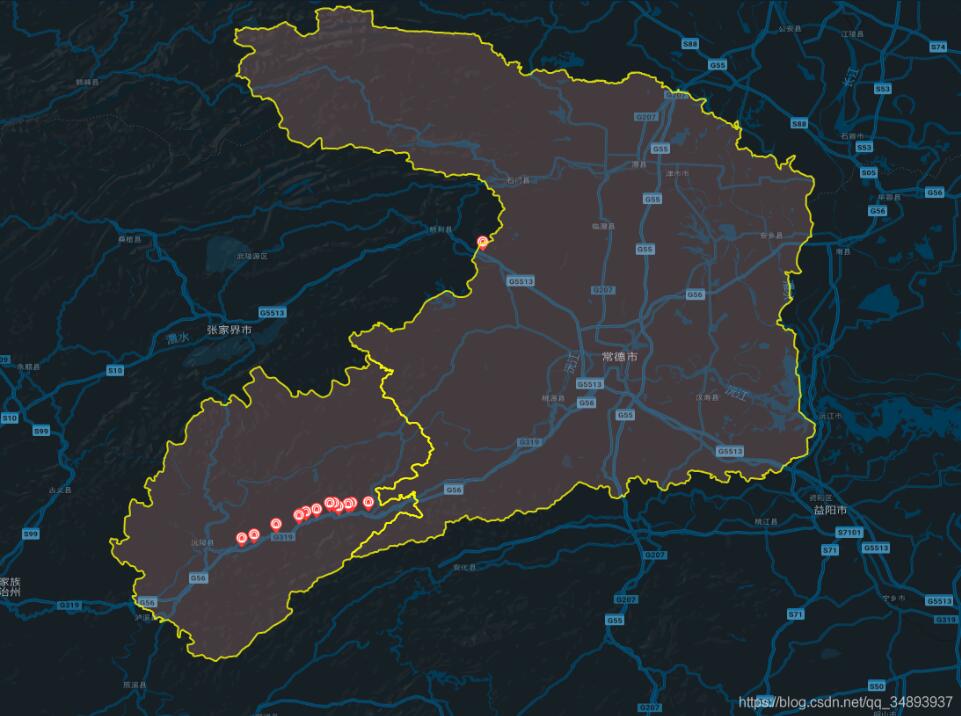
以上就是本文的全部內(nèi)容,希望對大家的學(xué)習(xí)有所幫助,也希望大家多多支持好吧啦網(wǎng)。
相關(guān)文章:
1. ASP基礎(chǔ)知識VBScript基本元素講解2. Python 利用Entrez庫篩選下載PubMed文獻(xiàn)摘要的示例3. Python 合并拼接字符串的方法4. Python 制作查詢商品歷史價(jià)格的小工具5. Python 如何調(diào)試程序崩潰錯誤6. Python sublime安裝及配置過程詳解7. python使用jenkins發(fā)送企業(yè)微信通知的實(shí)現(xiàn)8. Linux刪除系統(tǒng)自帶版本Python過程詳解9. ASP.NET MVC使用jQuery ui的progressbar實(shí)現(xiàn)進(jìn)度條10. Python3 json模塊之編碼解碼方法講解
 網(wǎng)公網(wǎng)安備