Python flask框架實(shí)現(xiàn)瀏覽器點(diǎn)擊自定義跳轉(zhuǎn)頁(yè)面
代碼如下
_init_.py
from flask import Flask, request, url_for, redirect, render_templateapp = Flask(__name__)@app.route(’/’)def index(): return render_template(’index.html’)@app.route(’/cool_form’, methods=[’GET’, ’POST’])def cool_form(): if request.method == ’POST’: # do stuff when the form is submitted # redirect to end the POST handling # the redirect can be to the same route or somewhere else return redirect(url_for(’index’)) # show the form, it wasn’t submitted return render_template(’cool_form.html’)
index.html
<!doctype html><html><body> <p><a href='http://m.b3g6.com/bcjs/{{ url_for(’cool_form’) }}' rel='external nofollow' >Check out this cool form!</a></p></body></html>
cool_form.html
<!doctype html><html><body> <form method='post'> <button type='submit'>Do it!</button> </form></html>
運(yùn)行結(jié)果

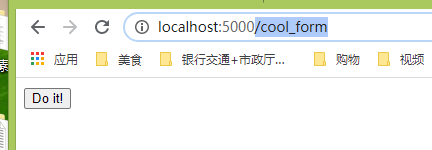
進(jìn)入5000端口顯示如圖,點(diǎn)擊這個(gè)按鈕,跳到自定義的/cool_form頁(yè)面
代碼在github:https://github.com/qingnvsue/flask中的webbutton文件夾
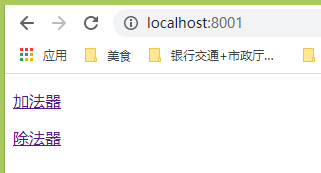
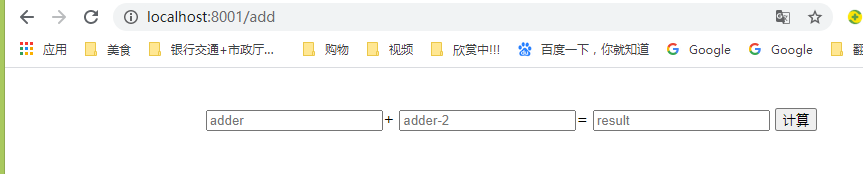
在我的程序里我實(shí)現(xiàn)了在web頁(yè)面點(diǎn)擊加法器或者除法器按鈕進(jìn)入相應(yīng)頁(yè)面

代碼在github:https://github.com/qingnvsue/flask中的add文件夾
以上就是本文的全部?jī)?nèi)容,希望對(duì)大家的學(xué)習(xí)有所幫助,也希望大家多多支持好吧啦網(wǎng)。
相關(guān)文章:
1. 使用Python webdriver圖書館搶座自動(dòng)預(yù)約的正確方法2. Android Studio實(shí)現(xiàn)格式化XML代碼順序3. Linux刪除系統(tǒng)自帶版本Python過(guò)程詳解4. Python 合并拼接字符串的方法5. PHP如何開啟Opcache功能提升程序處理效率6. 在線php代碼縮進(jìn)、代碼美化工具:PHP Formatter7. Python3 json模塊之編碼解碼方法講解8. Android 簡(jiǎn)單的實(shí)現(xiàn)滑塊拼圖驗(yàn)證碼功能9. ASP.NET MVC使用jQuery ui的progressbar實(shí)現(xiàn)進(jìn)度條10. 淺談?dòng)蓀osition屬性引申的css進(jìn)階討論
 網(wǎng)公網(wǎng)安備