Python基礎(chǔ)進(jìn)階之海量表情包多線程爬蟲功能的實(shí)現(xiàn)
在我們?nèi)粘A奶斓倪^程中會(huì)使用大量的表情包,那么如何去獲取表情包資源呢?今天老師帶領(lǐng)大家使用python中的爬蟲去一鍵下載海量表情包資源
二、知識(shí)點(diǎn)requests網(wǎng)絡(luò)庫bs4選擇器文件操作多線程
三、所用到得庫import osimport requestsfrom bs4 import BeautifulSoup四、 功能
# 多線程程序需要用到的一些包# 隊(duì)列from queue import Queuefrom threading import Thread五、環(huán)境配置
解釋器 python3.6編輯器 pycharm專業(yè)版 激活碼
六、多線程類代碼# 多線程類class Download_Images(Thread): # 重寫構(gòu)造函數(shù) def __init__(self, queue, path): Thread.__init__(self) # 類屬性 self.queue = queue self.path = path if not os.path.exists(path): os.mkdir(path) def run(self) -> None: while True: # 圖片資源的url鏈接地址 url = self.queue.get() try:download_images(url, self.path) except:print(’下載失敗’) finally:# 當(dāng)爬蟲程序執(zhí)行完成/出錯(cuò)中斷之后發(fā)送消息給線程 代表線程必須停止執(zhí)行self.queue.task_done()七、爬蟲代碼
# 爬蟲代碼def download_images(url, path): headers = { ’User-Agent’: ’Mozilla/5.0 (Windows NT 10.0; WOW64) AppleWebKit/537.36 (KHTML, like Gecko) Chrome/84.0.4147.105 Safari/537.36’ } response = requests.get(url, headers=headers) soup = BeautifulSoup(response.text, ’lxml’) img_list = soup.find_all(’img’, class_=’ui image lazy’) for img in img_list: image_title = img[’title’] image_url = img[’data-original’] try: with open(path + image_title + os.path.splitext(image_url)[-1], ’wb’) as f:image = requests.get(image_url, headers=headers).contentprint(’正在保存圖片:’, image_title)f.write(image)print(’保存成功:’, image_title) except: passif __name__ == ’__main__’: _url = ’https://fabiaoqing.com/biaoqing/lists/page/{page}.html’ urls = [_url.format(page=page) for page in range(1, 201)] queue = Queue() path = ’./threading_images/’ for x in range(10): worker = Download_Images(queue, path) worker.daemon = True worker.start() for url in urls: queue.put(url) queue.join() print(’下載完成...’)八、爬取效果圖片
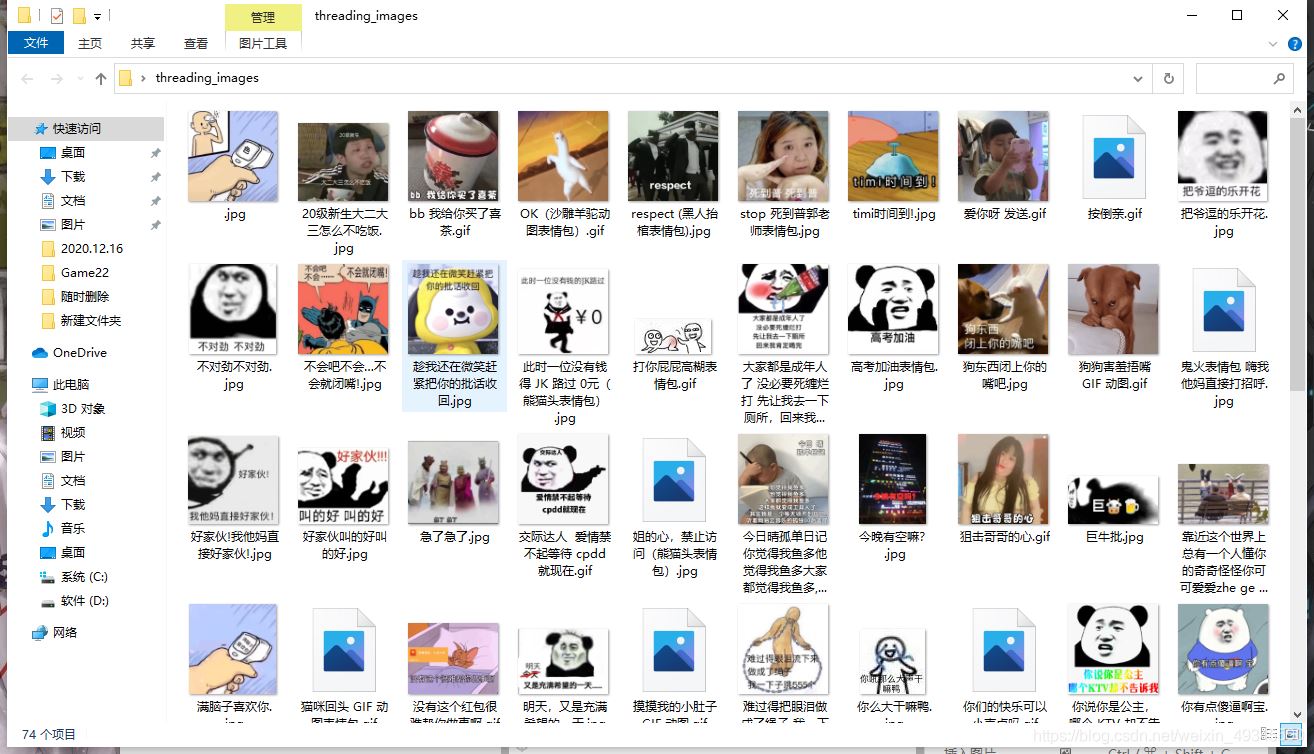
到此這篇關(guān)于Python基礎(chǔ)進(jìn)階之海量表情包多線程爬蟲的文章就介紹到這了,更多相關(guān)Python多線程爬蟲內(nèi)容請(qǐng)搜索好吧啦網(wǎng)以前的文章或繼續(xù)瀏覽下面的相關(guān)文章希望大家以后多多支持好吧啦網(wǎng)!
相關(guān)文章:
1. JS實(shí)現(xiàn)前端動(dòng)態(tài)分頁碼代碼實(shí)例2. 關(guān)于IDEA 2020.3 多窗口視圖丟失的問題3. javascript實(shí)現(xiàn)貪吃蛇小練習(xí)4. js實(shí)現(xiàn)碰撞檢測5. 一文帶你徹底理解Java序列化和反序列化6. 用Spring JMS使異步消息變得簡單7. PHP驗(yàn)證碼工具-Securimage8. Python 制作查詢商品歷史價(jià)格的小工具9. Python 利用Entrez庫篩選下載PubMed文獻(xiàn)摘要的示例10. ASP.NET MVC使用jQuery ui的progressbar實(shí)現(xiàn)進(jìn)度條

 網(wǎng)公網(wǎng)安備