javascript - css輪播圖適應布局問題
問題描述
問題解答
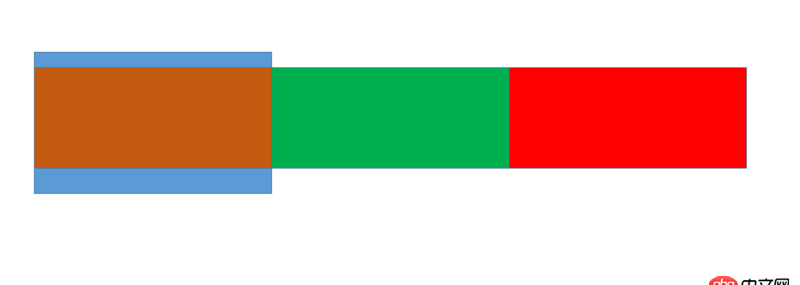
回答1:純靠CSS就可以實現類似效果:
HTML:<body style=’margin: 0;’> <p style=’position: absolute;width: 40%;height: 100%;background-color: blue;overflow: hidden;’><p style=’position: absolute;width: 100%;height: 80%;background-color: orange;top: 10%;left: 200%;’></p><p style=’position: absolute;width: 100%;height: 80%;background-color: green;top: 10%;left: 200%;’></p><p style=’position: absolute;width: 100%;height: 80%;background-color: red;top: 10%;left: 200%;’></p> </p></body>
CSS:.p1{ animation: pleft 6s infinite linear; -webkit-animation: pleft 6s infinite linear; animation-fill-mode: both; -webkit-animation-fill-mode: both;}@keyframes pleft{ 0%{left: 200%} 100%{left: -100%}}.p2{ animation: pmid 6s infinite linear; -webkit-animation: pmid 6s infinite linear; animation-fill-mode: both; -webkit-animation-fill-mode: both; animation-delay:2s; -webkit-animation-delay:2s;}@keyframes pmid{ 0%{left: 200%} 100%{left: -100%}}.p3{ animation: pright 6s infinite linear; -webkit-animation: pright 6s infinite linear; animation-fill-mode: both; -webkit-animation-fill-mode: both; animation-delay:4s; -webkit-animation-delay:4s;}@keyframes pright{ 0%{left: 200%} 100%{left: -100%}}
jsfiddle.net看看是不是你想要的
回答2:想了兩種方法: flex 與 inline-block容器設了寬度是為了便于觀察.按理來說用定位也是可以的.但是得一個一個設置定位, 就沒弄了.
https://jsfiddle.net/m41tLwqb/1/https://jsfiddle.net/2zcqqj26/
回答3:曾用純CSS做輪播,至于你說的這個,應該能實現,但自己沒做過,沒法肯定
相關文章:
1. python小白 自學看書遇到看不懂的地方2. javascript - avalon.js ms-on 事件綁定無效 ?3. javascript - vue中使用prop傳遞數據問題4. javascript - 連續點擊觸發mouseleave事件5. php對mysql提取數據那種速度更快6. DADB.class.php文件的代碼怎么寫7. shell - mysql更新錯誤8. javascript - immutable配合react提升性能?9. mysql - 在log日志中已知用戶的某一步操作,如何獲取其上一步操作?10. 網頁爬蟲 - 如何使用使用java抓取信息并制作一個排名系統?

 網公網安備
網公網安備